Why scale matters
A photo on a screen has no size. The same painting looks huge on a phone and tiny on a monitor, and buyers can't tell whether it will fit above the sofa. That uncertainty turns into abandoned carts and returns.
How it works
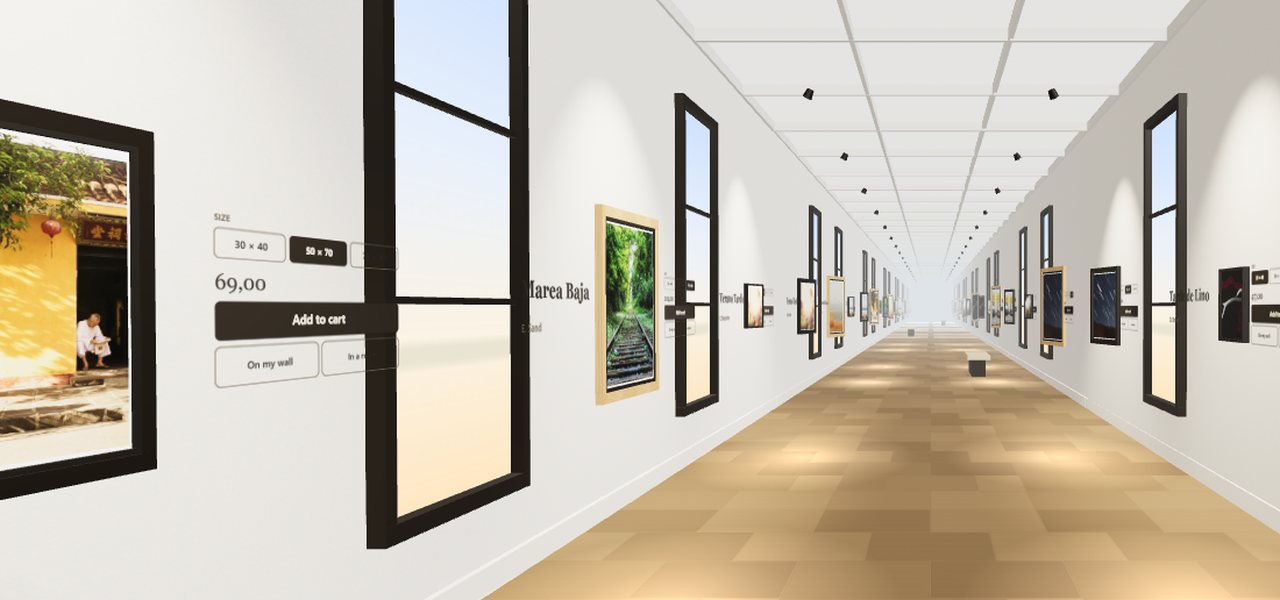
- On the artwork label, the customer taps “On my wall”.
- The phone opens the camera and recognizes the wall.
- The work appears hanging at real size: they can move it, step closer and see how it looks.
No app to download
On iPhone it uses Quick Look and on Android Scene Viewer, the augmented-reality viewers that come with the phone. The customer installs nothing.
On desktop: a QR code
If the customer is browsing on a computer, they see a QR code: they scan it with their phone and the work opens straight in augmented reality. You can try it now with the sample artwork on our home page.
“View in a room”: 19 interiors with the frame on
Not everyone wants to get up and point at a wall. “View in a room” shows the work in 19 in-house interiors and lets people choose the frame while seeing it already hanging.
Inside your 3D gallery
In InGallery, “On my wall” sits on every artwork's label, inside the 3D virtual gallery: customers stroll, fall for a work, try it on their wall and buy it without leaving the tour.
Always state width × height on the product page: it's what lets the work hang to scale, and the first thing a buyer looks for.
Which plan includes it
Augmented reality and “View in a room” are included in Pro (€29/month) and Premium. You can try them free for 14 days.
Frequently asked questions
No. It uses Quick Look on iPhone and Scene Viewer on Android, which come with the phone.
Yes, it appears at real size on the wall. That's why it pays to always state width × height on the product page.
On desktop a QR code is shown that opens the work on the customer's phone.
Pro (€29/month) and Premium, together with “View in a room”.