1. Photograph the work as it looks on the wall
The main image should be the artwork alone, straight, with faithful color and no glare: diffuse light, camera parallel to the canvas and a neutral white balance. Then add details —texture, signature, edge— and a view in an interior to show scale.
If you use InGallery, that main image is the one hung in the 3D gallery, so it deserves the best photo you have.
2. Always state the real dimensions
The number one fear when buying art online is scale: “will it be too small for my living room?”. Put width × height on the product page —for example, “60 × 80 cm”— and the depth if it's a stretched canvas.
InGallery uses those dimensions to hang each work at its real size in the room, so a 30 × 40 looks small next to a 120 × 90, just like in a real gallery.
3. Original art: one size, with framing as the variant
An original has a single size. Don't invent sizes: if you want to offer options, make them framing options —unframed, black, oak, white— as real Shopify variants, each with its own price. For prints and photography, offering several edition sizes does make sense.
4. A product page that tells the story of the work
- Title and artist, always.
- Medium and support: oil on canvas, giclée on cotton rag, limited edition of 30…
- Year and, if there is one, the series.
- A short description that talks about the work, not the product.
- Clear shipping and returns: how it's packed and how long it takes.
When a detail is missing, it's better to show nothing than to make it up.
5. Let them see it on their wall
Augmented reality removes the scale doubt: from their phone, buyers hang the work on their own wall, at real size, with Quick Look on iPhone or Scene Viewer on Android. Another option is to show it in interiors: InGallery includes “View in a room”, with 19 interiors and the chosen frame already on. We explain it in see art on your wall.
6. Show your catalog as an exhibition
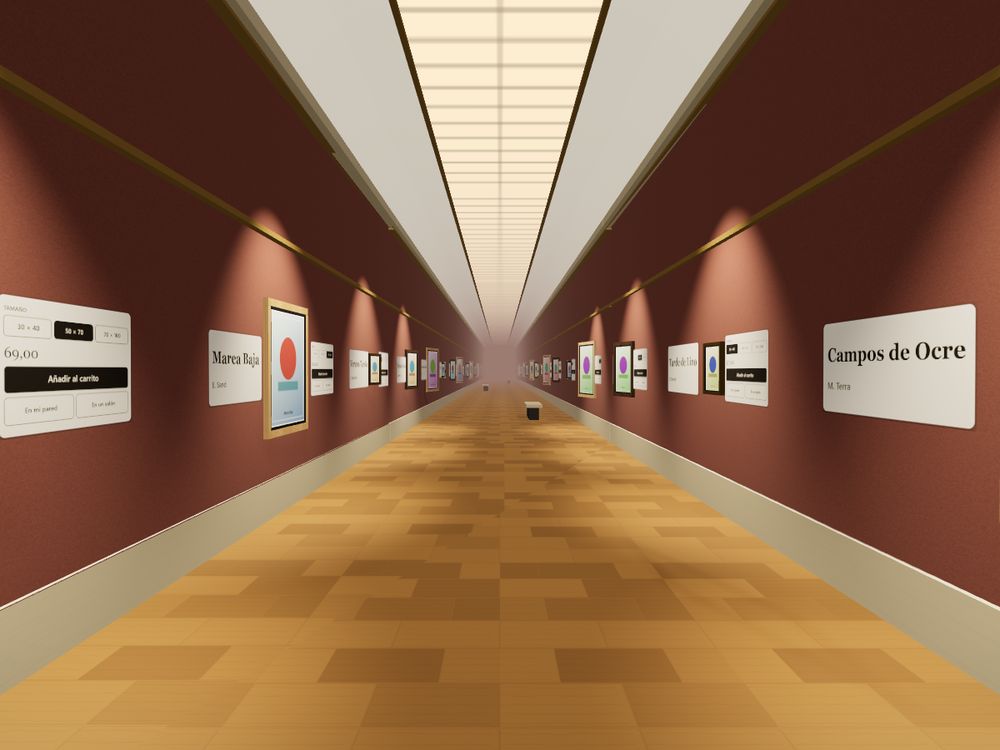
A grid of thumbnails puts a €3,000 painting on the same level as a phone case. Presenting your catalog as a gallery —with walls, light and a path— gives art back its context and turns the store into something people remember and share. That's what a 3D virtual gallery for Shopify does.
7. Trust signals
- A certificate of authenticity for original work.
- The artist's biography and, if possible, their portrait.
- A returns policy visible before the cart.
- Photos of the packaging.
8. Measure which work draws interest
Look at which works get viewed, which are opened in detail and which reach the cart. With InGallery you get those analytics inside the gallery —including the value added to carts and which sales come from it— so you can decide what to hang first.
Frequently asked questions
Original work (painting, drawing, wall pieces), prints and limited editions, photography and posters. For originals, a single size with framing as the variant; for editions, several sizes.
Width × height in centimeters (or inches), plus depth for stretched canvases. They're what buyers use to picture the work and what InGallery uses to hang it to scale.
With augmented reality from their phone or with views in interiors. InGallery includes both on the Pro plan.