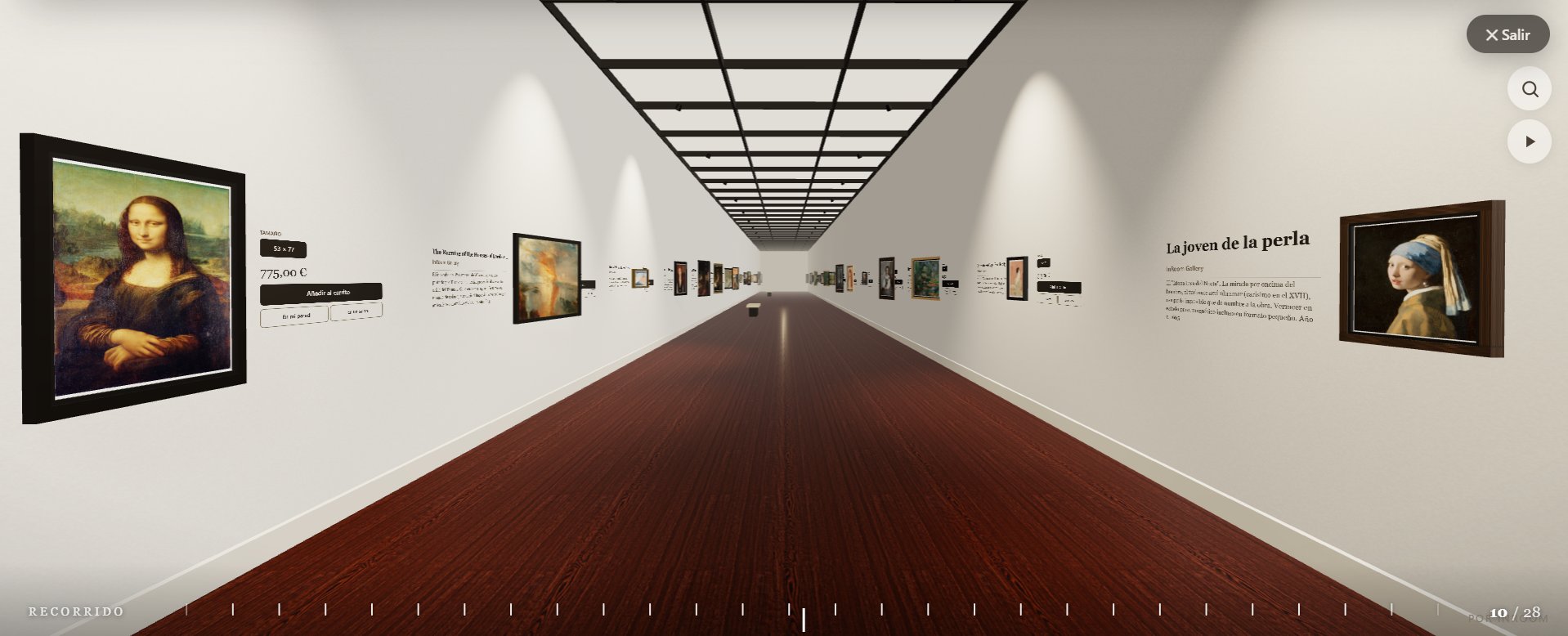
What a 3D virtual gallery is
It's a digital exhibition space you visit in the browser, with nothing to download. Instead of a grid of thumbnails, visitors move through a space with walls, light and artworks hung to scale, and stop at whatever catches their eye. In a Shopify store, that room is filled with your own products.
The difference from a 3D viewer or a 360° tour is that the gallery is the store: every artwork carries its price, its dimensions and a button that adds it to the real Shopify cart.
How it works on Shopify
- It reads your catalog. InGallery takes your products with images —title, artist, price, dimensions and description— and hangs them automatically.
- It opens on top of your store. You switch the gallery on in your theme editor and add a menu link. Clicking it opens the gallery full screen, without modifying your theme.
- It only weighs anything when opened. The 3D loads when someone enters the gallery, not when they visit the store, and quality adapts to each device on its own.
- People buy inside. Each artwork card adds it to the Shopify cart without leaving the tour.
Two ways to exhibit
The corridor
A walkway that moves forward with the scroll, endlessly, as natural as scrolling a web page. It's the most direct way to browse a large catalog. There are eleven rooms with their own architecture: a gallery with tall windows, a Japanese room, a skylit classic museum, a sawtooth hall, raw concrete, a grand classical gallery, a stone vault and more.
Spaces
Free-roam rooms: visitors look around by dragging, walk by clicking the floor and step up to each work. There are eight —Atrium, Water Pavilion, Paper House, Crypt, Sunset Loft, White Cube, Concrete Hall and Night Room— and you can create your own rooms filled by tag: one per artist, per series or per season.
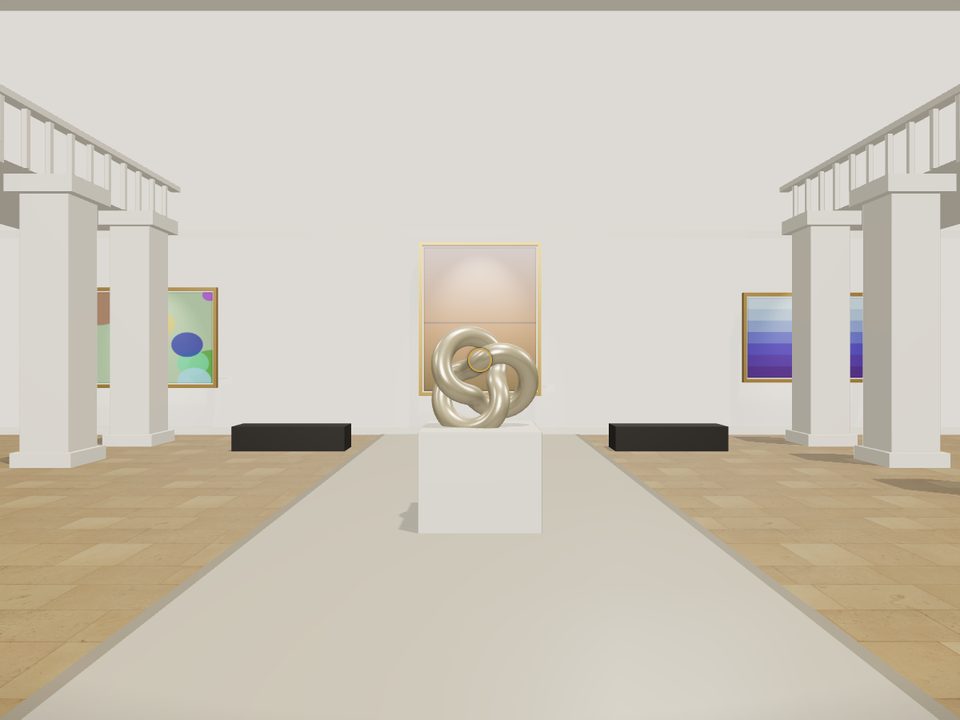
What your customers see
- An entrance cover that advances with real loading; there are twelve, from “The door” to “The lights come on”.
- Every artwork at its real size on the wall, framed and lit.
- A label with title, artist, medium and description, plus the buy button.
- “On my wall”: the artwork on their own wall in augmented reality, on iPhone and Android.
How to build yours
- Install InGallery from the Shopify App Store.
- Pick one of the ten ready-made galleries, or customize room, light, materials, brand color and cover while watching the result live.
- Switch the gallery on in your theme, add the menu link and publish.
Your products with images walk in on their own. No 3D or coding skills needed.
How much it costs
| Plan | Price | Includes |
|---|---|---|
| Essential | €19/month | Up to 50 artworks and 3 rooms |
| Pro | €29/month | Unlimited artworks, every room, all 12 covers, augmented reality and “View in a room” |
| Premium | €49/month | Everything in Pro, galleries per artist and no branding |
14-day free trial with everything in Pro. If you need a room that doesn't exist yet, we also design custom galleries.
Frequently asked questions
No. The 3D only loads when a visitor opens the gallery, so your store stays just as fast. Inside, quality adjusts to each device on its own.
Yes. It opens as a full-screen experience on top of your store and doesn't modify your theme.
Up to 50 on the Essential plan and unlimited on Pro and Premium.
Yes, with touch controls and quality adapted to each phone.